Photo views
See which photos visitors are actually opening and viewing.
A lightweight analytics add-on for the self-hosted IO200 photo platform. Track photo views, downloads, basket activity and visits, then dig into individual photos to see where the activity came from.
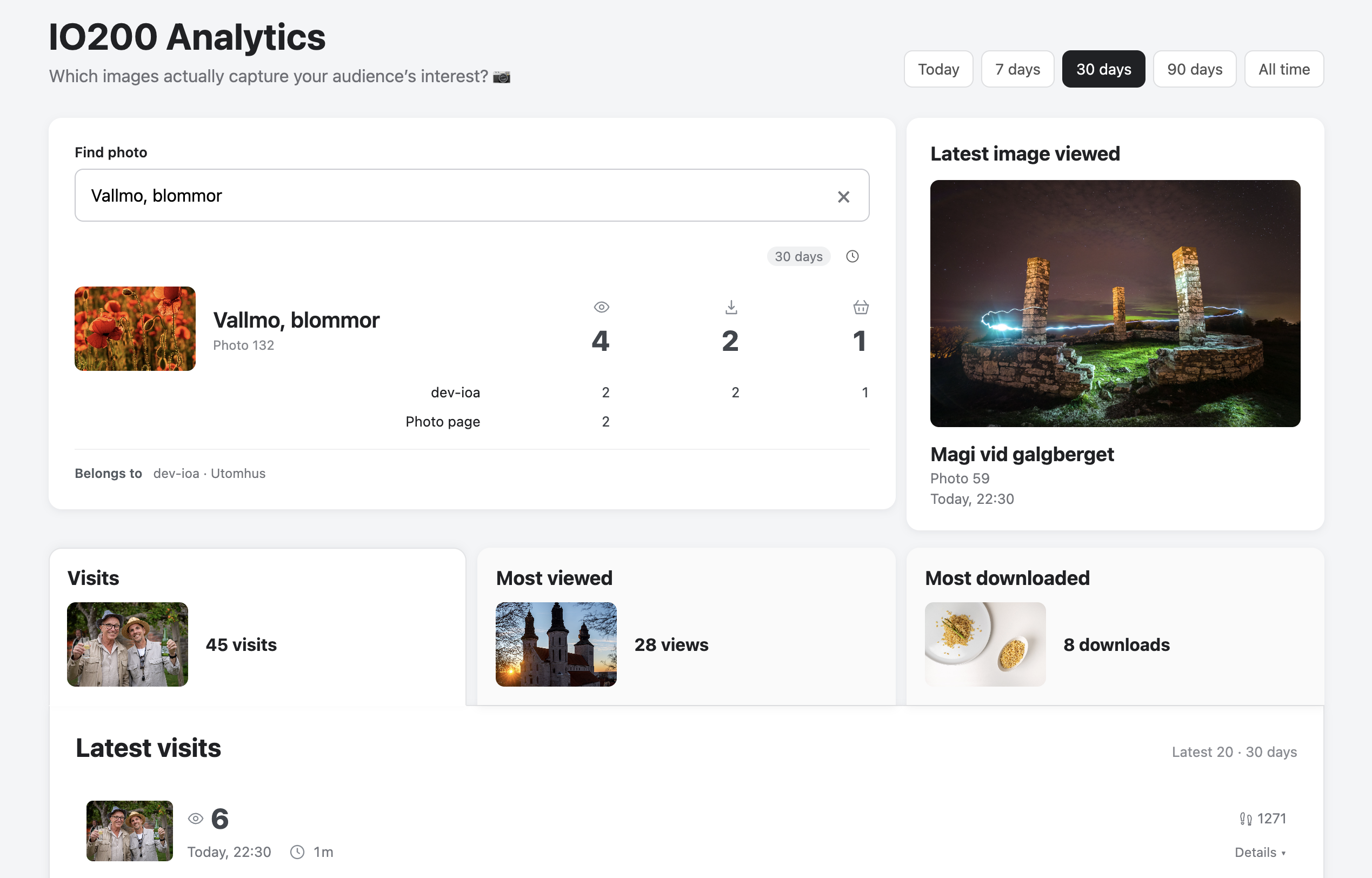
See which photos visitors are actually opening and viewing.
Track individual photo downloads and selection downloads.
See when visitors add photos to or remove photos from their basket.
Follow a visitor's gallery activity as one visit, including viewed photos, downloads, basket changes and the galleries they moved through.
Search for a photo and see its views, downloads, basket activity and where that activity happened.
Open a detailed view of any photo to compare overall activity with activity from a specific visit.
IO200 Analytics lives entirely inside your own IO200 installation.
Download the latest IO200 Analytics ZIP file.
Extract the io200-analytics folder.
Upload it to /storage/custom/.
Open /storage/custom/io200-analytics/install.php.
Complete the short on-screen setup and add the provided tracking snippet to IO200 Code Injection.
Your existing analytics data is preserved when updating. IO200 Analytics will also let you know in the dashboard when a newer version is available.
Download the latest IO200 Analytics ZIP file from this page.
Replace the existing io200-analytics application files in
/storage/custom/ with the files from the new release.
Open /storage/custom/io200-analytics/install.php
and let it check and update the installation.